- "Configure Open Button" was added to "Input-> Configure" menu. You can change the shortcut key for opening the game file ([O] key and [P] key) to any key. - "Configure" was added to the top of the "Input" menu, and the menu was tidied up. * However, this is still complicated. Although it may become next year, I will make a special form for controller setting. - "Adjust Old CD-ROM2 Speed (Super Darius)" added to "Setting-> Improve" menu. When this is checked, in "Super Darius", at the game start and the boss appearance etc., the CD access time is adjusted to the wait time equivalent to that of the first (old white machine) CD-ROM2 System. When this check is removed, the wait time will be as short as PC Engine Duo ( default). - When a game for ARCADE Card is played, if Resume-Mode ("File-> Set Resume" menu) is set, if "CD-ROM-> Play with Non ARCADE Card" menu is executed, the bug that the game stopped (occurred from v2.85) was fixed. * I think that this is a rare case, but if this trouble makes it impossible to continue the game, please play the continuation from state save data. Or, please reset using [F1] key, load from backup RAM (save data in the game) and continue the game. - Additionally, a detailed part has been improved and corrected.
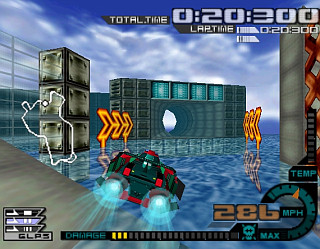
AeroGauge
Игры Nintendo 64


» Во что сейчас играем? 00:17
» [NES/GEN/SNES] Слухи, байки про игры 23:46
» Windows 11 23:09
» Геймпады-тестирование, личный опыт, мнения. 23:02
» [NES] Tarot 22:04
» Переводы на русский 21:49
» Подписка iCloud 21:32
» Angry Video Game Nerd и другие 21:02
» Совместное прохождение игр c участием Ниндзя 20:31
» Эмуляция PS5 19:04
» Арты с женскими персонажами (Игры и Мультфильмы) 18:59
» Восстановление дорожек платок денди 15:30
» Неизвестная плата 15:10
» Новости игровой индустрии и не только 14:26
» Picostation PS1 14:03